
ONLINE COMPUTER TRAINING
I welcome you as the founder and trainer on this site to come and join this courses, if you have any problem and comment don’t hesitate to call me.
After you registered to the system you can can login using your password and access the information about the courses you prefer.
We offer the following courses:
COURSE 1: LEARN HOW TO USE COMPUTER FOR BEGINNER AND ADVANCE LEVEL
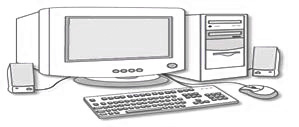
Computer topics are designed to introduce you to personal computing and the Windows operating system. Whether you're a beginner in use of computer or someone with experience using computer, these topics can help you understand the tasks and tools you need to use your computer successfully.
In this course you will learn how to open and shut down computers, how to use programs, windows explorer and how to use e-mail and when to get help when using a computer and you learn how to protect your computer from malicious software and hackers and how computer software and hardware works.
Thanks.Click Register below to learn how to registered for the course
COURSE 2: LEARN HOW TO USE MICROSOFT WORD FOR BEGINNER AND ADVANCE LEVEL
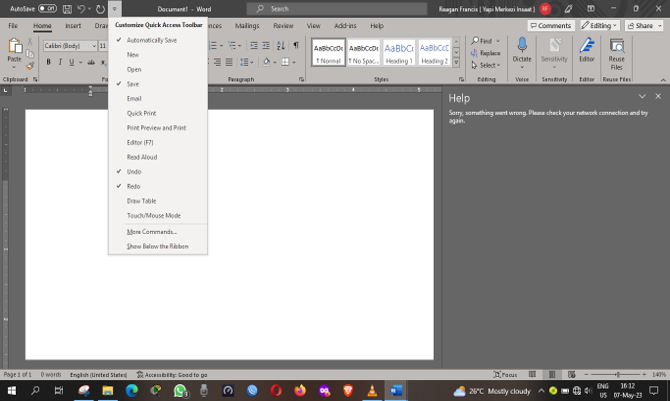
Microsoft Word is one of the most popular word-processing programs used for creating, editing, formatting, and printing documents. It is part of the Microsoft Office package and is widely used in schools, offices, businesses, and homes.
Microsoft Word allows users to type letters, reports, assignments, resumes, and many other types of documents easily and professionally. The program provides different tools for formatting text, inserting pictures, creating tables, checking spelling and grammar, and designing documents in an organized way.
To use Microsoft Word, a user first opens the program from the computer and selects a blank document or a template.
The user can then type text using the keyboard and use the toolbar options to change font style, size, color, color, alignment, and spacing. Documents can be saved, edited later, printed, or shared electronically.
Microsoft Word is important because it helps users produce neat and professional documents quickly and efficiently. Learning how to use Microsoft Word improves computer skills and increases productivity in academic and workplace activities.
Click Register below to learn how to registered for the course
COURSE 3: LEARN HOW TO USE MICROSOFT EXCEL FOR BEGINNER LEVEL
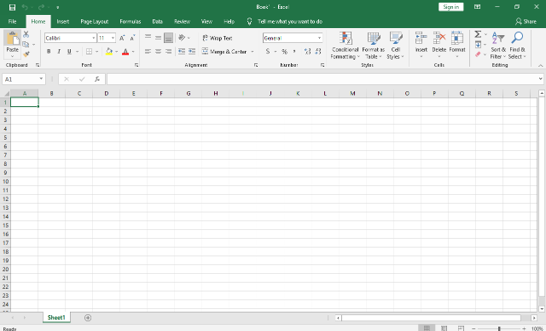
In this course you will learn how to get started with excel and how to process data in the excel.
Excel program is important in our society today because it helps us to manage and manipulate data easily and saves
time which is lost due to many mistakes made during the processing of the data manually.
Excel is all about numbers. There’s almost no limit to what you can do with numbers in Excel, including sorting, advanced calculations, and graphing.
Data files created with Excel are called workbooks (in the same way as Word files are called documents). But where Word starts up with a single blank page, Excel files by default contain three blank worksheets. This gives you the flexibility to store related data in different locations within the same file. More worksheets can be added, and others deleted, as required.
Click Register below to learn how to registered for the course
COURSE 4: LEARN HOW TO USE MICROSOFT POWERPOINT FOR PRESENTATION
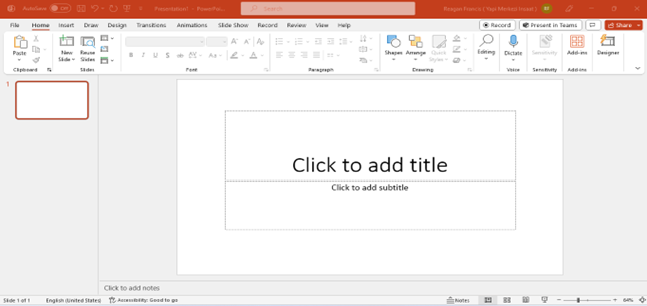
Microsoft PowerPoint is one of the most widely used presentation software applications in the world. It is developed by Microsoft and is part of the Microsoft Office suite. PowerPoint enables users to create professional and attractive presentations by combining text, images, charts, animations, audio, and video into slides.
This course has been prepared to introduce Microsoft PowerPoint and its basic features. It aims to help you
to understand how to create, edit, format, and present slides effectively. The knowledge gained from this course
can be applied in educational, business, and personal settings where presentations are required.
The preparation of this course involved studying the main functions and tools available in Microsoft PowerPoint.
Every effort has been made to present the information in a simple and clear manner for easy understanding.
Click Register below to learn how to registered for the course
COURSE 5: LEARN HOW TO USE MICROSOFT PUBLISHER FOR PUBLISHING
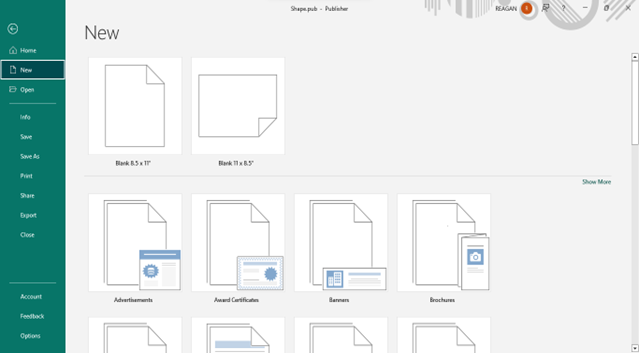
Microsoft Publisher is a desktop publishing software that is designed for people who are not design professionals, but who need to produce professional looking publications.
The typical user is called upon to create publications quickly without the support of art designers or a production studio who are experienced in page layout and technique.
To make it easier for the user, Publisher has several automated tools, templates, and wizards.
Click Register below to learn how to registered for the course
COURSE 6:LEARN HOW TO DO MAINTENANCE AND REPAIR OF COMPUTER
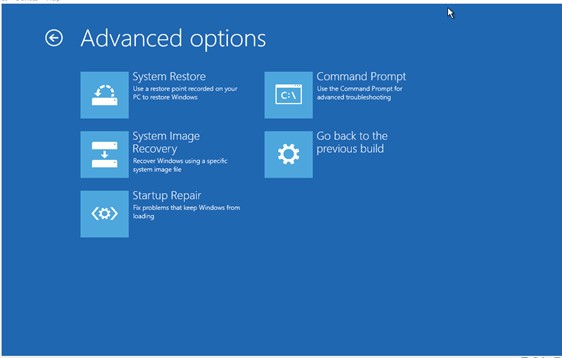
In this course you will learn how to find and resolve the faults of the computer and how to maintain your computer in a state of running smoothly. We will check different problems with the computer and how to solve them such as windows problems, how to install windows and configuration and other computer problems.
In this course you will learn the following:
Part 01: Introduction to computer
Part 02: Parts of Computer
Part 03: Using Software
Part 04: Preventive Maintenance
Part 05: Internet and Networking
Part 06: Troubleshooting and Repair
Click Register below to learn how to registered for the course
COURSE 7: LEARN HOW TO USE MICROSOFT EXCEL FOR ADVANCE EXCEL
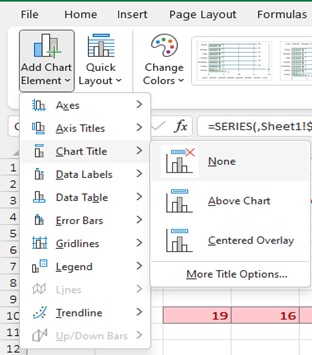
In this course you will learn how to process data in the excel. Excel program is important in our society today because it helps us to manage and manipulate data easily and saves time which is lost due to many mistakes made during the processing of the data manually.
You will learn about Excel charts, function in excel and how to process data using spreadsheets. This course is for advanced users, if you want to start from the beginning of the course, please check the course with the title Learn How to Use Microsoft Excel for The Beginner User
Click Register below to learn how to registered for the course
Thank you for take time to visit this site and hope that you will learn many things and enjoy yourself.
Copyright @ 2026- EBAOMS Computer Solution All rights reserved